Webhooks are the invisible pipes that make modern automation possible.
Thank you for reading this post, don't forget to subscribe!Every time a lead is captured, a payment is completed, a form is submitted, or an app triggers another system instantly — a webhook is usually behind it.
Most business owners use automation tools daily without understanding the one mechanism that actually connects everything: event-based data delivery.
And when webhooks break, workflows collapse.
This guide explains webhooks in a business-first way — what they are, how they work, why automations rely on them, and where companies unknowingly lose data because webhook systems aren’t designed correctly.
What Is a Webhook? (Simple Definition)
A webhook is an automatic message sent from one application to another the moment an event happens.
Instead of waiting and checking for updates (like polling), webhooks push data instantly when something changes.
Think of it like this:
-
Polling = “Did something happen yet?” (checking repeatedly)
-
Webhook = “Something just happened — here’s the data.”
This is what allows real-time automation.
Why Webhooks Matter in Business Automation
Every serious automation depends on speed and accuracy.
Webhooks power:
-
Lead capture → CRM instantly
-
Payment success → invoice + email
-
Form submission → automation trigger
-
User signup → onboarding workflows
-
App-to-app communication
Without webhooks, most workflows would rely on delays and scheduled checks.
The bigger your system grows, the more your automation depends on reliable webhook delivery.
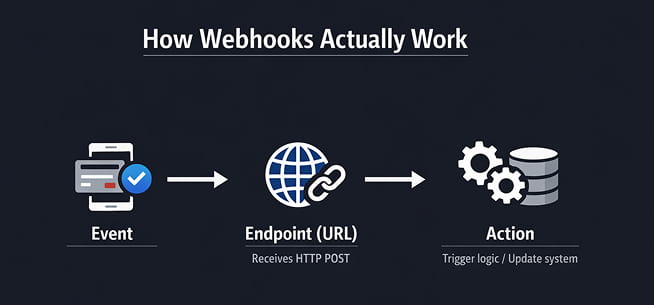
How Webhooks Actually Work (Non-Technical)
Here’s the real flow in business terms:
-
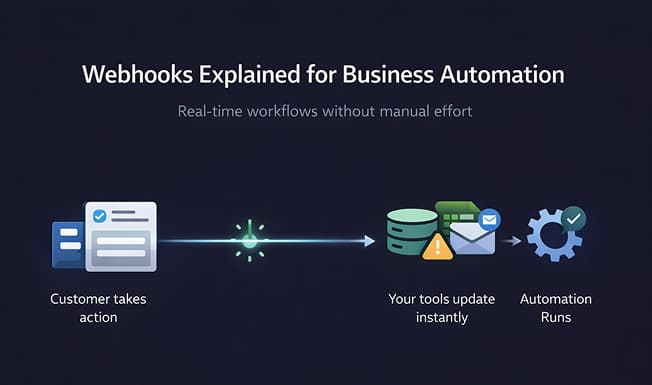
Event happens in Tool A
-
Tool A sends structured data to a URL
-
Tool B receives that data instantly
-
Tool B triggers an action
That URL is called the Webhook Endpoint.
It’s simply a listening address waiting for data.
Real Example (Business Use Case)
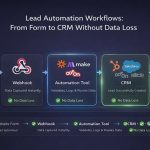
Customer submits Facebook Lead Form →
Facebook sends webhook →
Automation tool receives data →
CRM creates lead →
Email auto-sent.
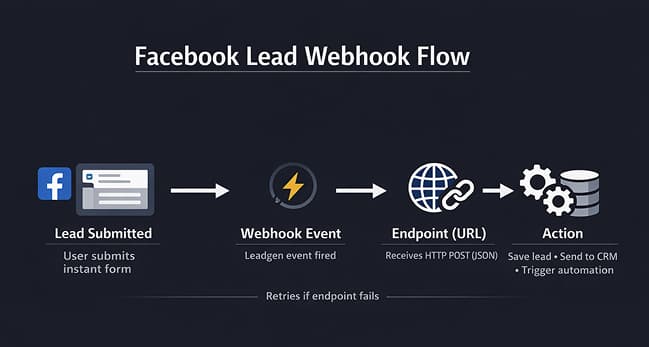
This entire chain happens in seconds because of webhooks.
If webhook fails:
-
No lead
-
No CRM entry
-
No email
-
No alert (usually)
Silent failure.
The Hidden Risk Businesses Ignore
Webhooks are fragile because they depend on:
-
Server response time
-
Proper authentication
-
Correct data structure
-
API rate limits
-
Endpoint stability
If any one breaks, the automation stops — but businesses don’t notice until revenue is lost.
Webhooks don’t retry forever.
They fail and move on.
Webhooks vs APIs vs Polling
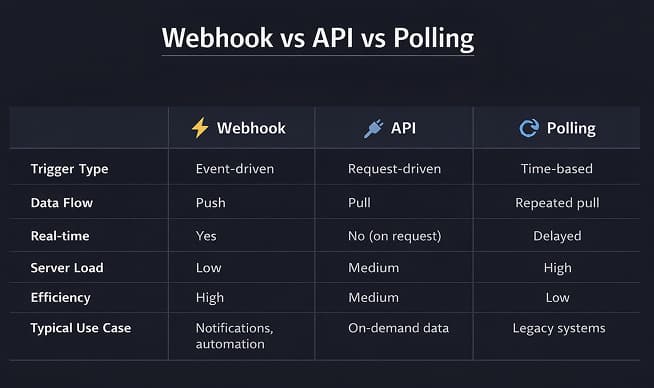
| Method | Behavior | Risk |
|---|---|---|
| Polling | Checks repeatedly | Slow, delayed data |
| API Call | Manual request | Needs trigger logic |
| Webhook | Instant push | Breaks silently if endpoint fails |
Most modern automation platforms prefer webhooks because they enable real-time integrations.
Webhooks are fastest but require the most monitoring.
Why No-Code Automations Break With Webhooks
Most automation tools hide complexity:
-
They don’t show dropped requests
-
They retry without logging
-
They don’t validate missing fields
-
They assume endpoints always respond
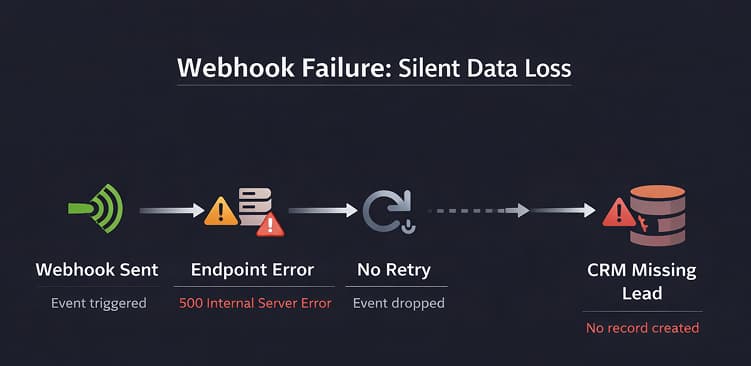
At low scale this looks fine.
At higher scale leads start disappearing.
How to Make Webhook Automations Reliable
Businesses that survive webhook scale do 5 things:
-
Validate incoming data
-
Add retry buffers
-
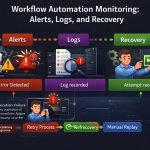
Log every request
-
Monitor failures
-
Control volume bursts

Webhooks must be treated like live infrastructure, not connectors.
Where Webhooks Are Used in Your Automation Stack
Webhooks connect:
-
CRM systems
-
Lead forms
-
Payment tools
-
Marketing platforms
-
Integration tools
-
Workflow engines
They are the backbone of modern integrations across CRM, marketing, and workflow automation systems.
The Hard Truth
Most businesses don’t lose data because tools fail.
They lose data because webhook delivery fails silently and nobody is monitoring the pipeline.
If automation is revenue-critical, webhook monitoring is non-optional.