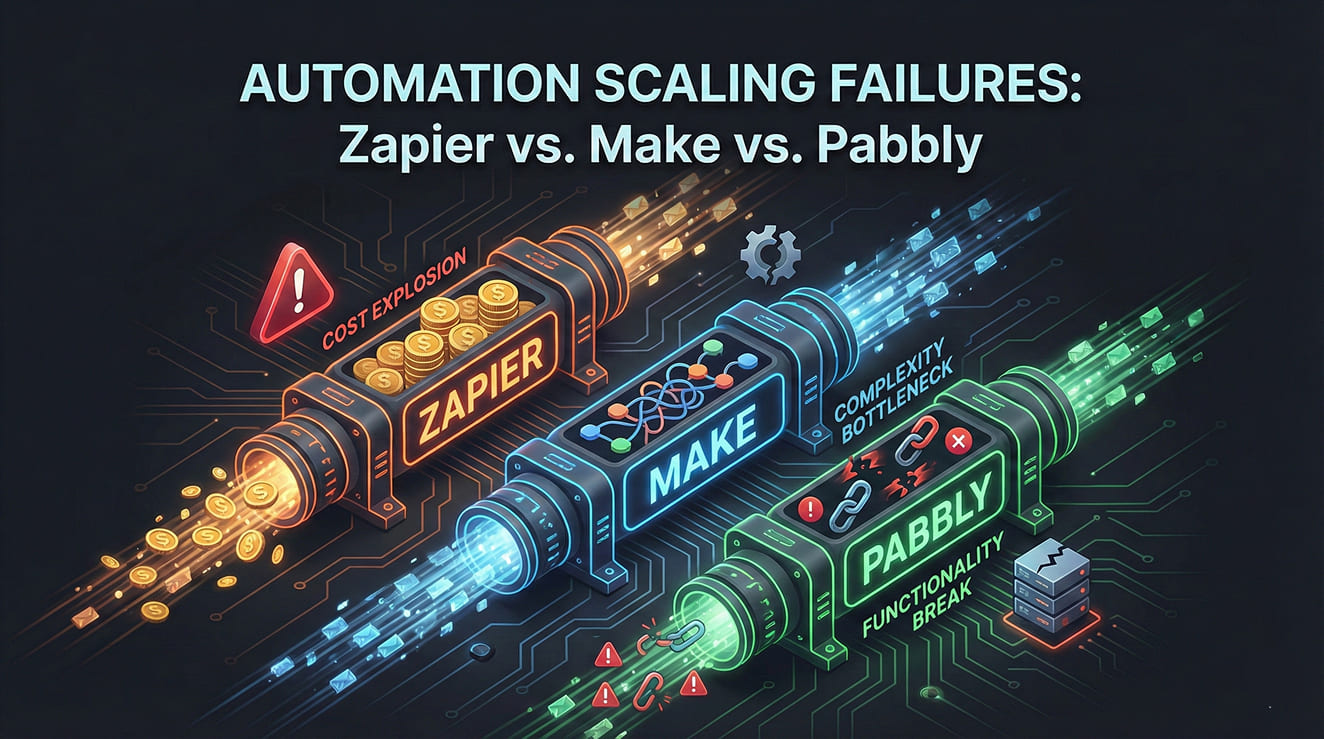
Automation tools breaking at scale is a problem most teams don’t notice until it’s too late. Automation rarely fails on day one—it fails quietly when volume increases, edge cases appear, and retries start piling up.
Thank you for reading this post, don't forget to subscribe!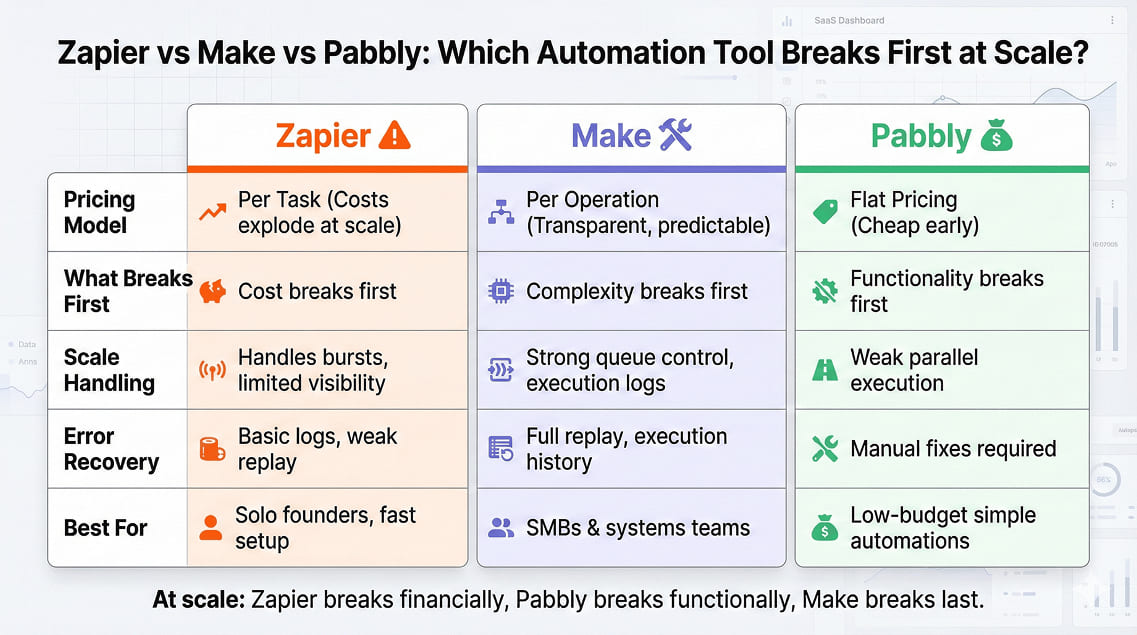
This comparison is not about features. It’s about what breaks first when your automation stops being a demo and becomes a system.
This guide is part of our Automation Tools resources for businesses building reliable automation stacks.
What Automation Tools Breaking at Scale Actually Means
When automation fails, it usually fails in one of four ways:
- Cost explodes unexpectedly
- Tasks or operations throttle without warning
- Errors happen silently
- Recovery takes longer than the damage caused
Most reviews ignore these realities. That’s why teams keep rebuilding workflows every six months.
This is why understanding automation tools breaking at scale matters more than comparing surface-level features.
Pricing at Scale: Why Zapier, Make, and Pabbly Get Expensive Differently
All three tools price based on usage — but usage is not what most people think.
Zapier: The Task Multiplier Problem
Zapier charges per task.
One workflow run can consume multiple tasks:
- Trigger
- Formatter
- Filters
- Actions
- Retries
Zapier’s task-based pricing model becomes expensive at scale, as explained on its official pricing page: https://zapier.com/pricing
A single lead automation can quietly consume 5–8 tasks. Retries are also billed. At scale, Zapier doesn’t break technically — it breaks financially.
Make: Operations Are Honest, But Brutal
Make charges per operation. It’s transparent, but every router, iterator, and error handler counts.
Make’s operations-based pricing and plan limits are detailed on its official pricing page: https://www.make.com/en/pricing
Complex workflows rack up operations fast. The upside: you know exactly why costs rise. The downside: advanced setups punish sloppy design.
Pabbly: Cheap Until Edge Cases Appear
Pabbly’s flat pricing looks unbeatable early on.
Pabbly Connect’s pricing structure and platform limitations are outlined in its official documentation: https://www.pabbly.com/connect/
But it struggles with complex branching, heavy data manipulation, and error replay. You save money — until failures force manual fixes.
At scale, Zapier breaks first on cost.
Task & Operation Limits Nobody Explains
Zapier
- Handles bursts well
- Limited control over queues
- Minimal visibility when volume spikes
Failures often go unnoticed until data is missing.
Make
- Strong queue control
- Visual execution logs
- Handles bursts better with tuning
But complexity rises quickly. Non-technical teams struggle.
Pabbly
- Limited parallel execution
- Weak handling of burst traffic
- Fewer safeguards
When it breaks, it breaks abruptly.
Failure Handling at Scale: Zapier vs Make vs Pabbly
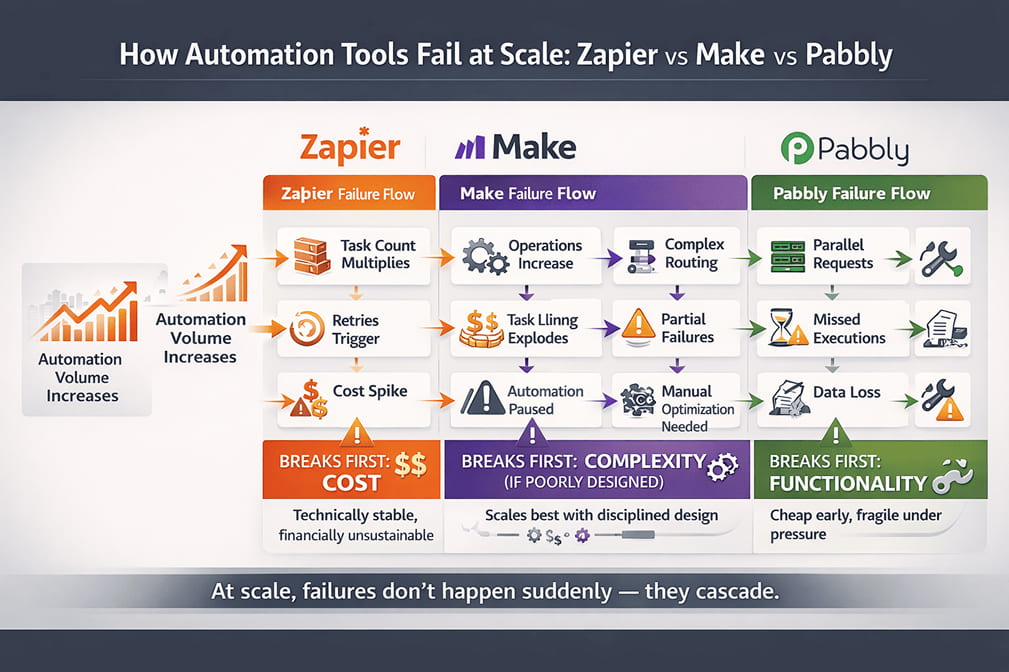
This is where most tools separate amateurs from systems.
Zapier
- Basic error logs
- Limited replay
- Poor partial recovery
Easy to use. Weak under pressure.
Make
- Full execution history
- Replay from failed step
- Strong alerting
Best for teams who treat automation like infrastructure.
Pabbly
- Basic logs
- Limited recovery tools
- Manual intervention required often
Good for simple flows. Risky for critical pipelines.
Who Should NOT Use Each Tool
Do NOT Use Zapier If:
- You run high-volume workflows
- Cost predictability matters
- You need deep debugging
Do NOT Use Make If:
- Your team avoids technical complexity
- You lack documentation discipline
- You want “set and forget” automation
Do NOT Use Pabbly If:
- You need complex logic
- You rely on heavy branching
- Downtime costs real money
Decision Matrix
| Use Case | Best Tool | Reason |
|---|---|---|
| Solo founder | Zapier | Speed and simplicity |
| Operations-heavy SMB | Make | Control and reliability |
| Budget automation | Pabbly | Flat pricing |
The real risk with automation tools breaking at scale is not failure—it’s delayed failure that drains revenue silently.
Final Verdict: Automation Tools Breaking at Scale
Zapier breaks first financially.
Pabbly breaks first functionally.
Make breaks last — but only if you respect its complexity.
The worst automation tool isn’t the one with fewer features.
It’s the one that hides failure until revenue is already leaking.
If automation is mission-critical, treat it like infrastructure — not a shortcut.