Automation Fails When Nobody Is Watching
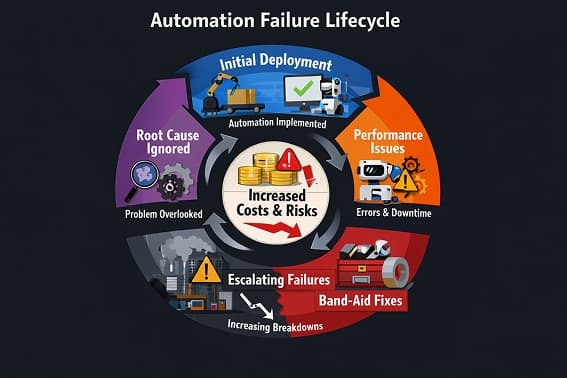
Workflow automation rarely fails during setup.
It fails after launch — quietly, slowly, and invisibly.
Triggers still fire. Tasks still run. Dashboards look “green.”
But underneath, webhooks drop, APIs throttle, CRM writes fail, and data goes missing.
Nobody notices until revenue, leads, or customers are already lost.
If a workflow can fail without you knowing, it will.
What Workflow Automation Monitoring Really Means
Monitoring is not checking whether a workflow ran once.
Real monitoring answers four questions:
-
Did the workflow trigger?
-
Did every step complete successfully?
-
How long did the workflow take?
-
What happened when something failed?
If you cannot answer all four, you are not monitoring automation.
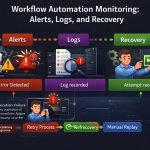
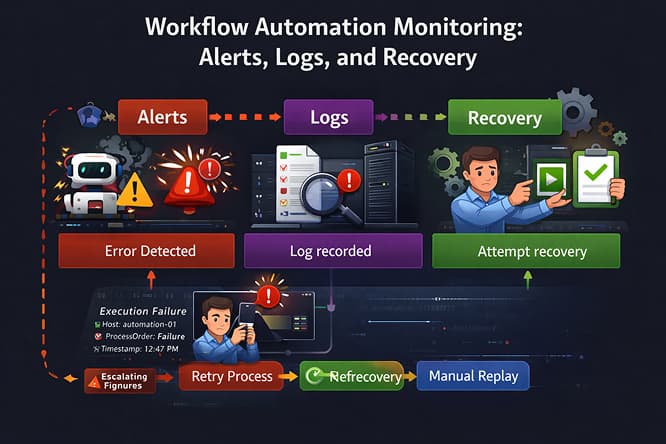
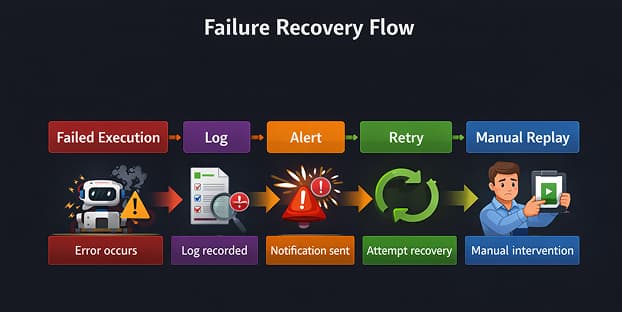
Monitoring has three core components: logs, alerts, and recovery.
Logs: What Actually Happened Inside the Workflow
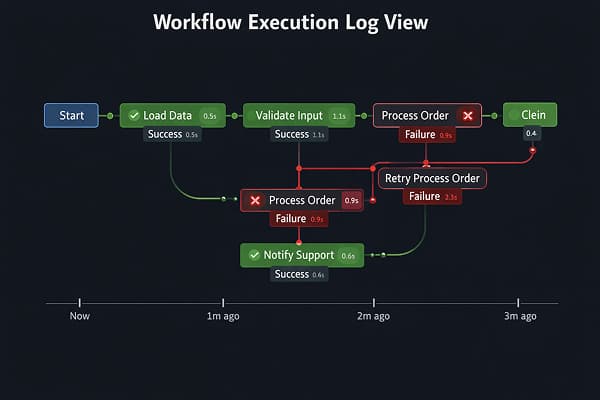
Logs are the factual record of automation execution.
They show:
-
Inputs received
-
Steps executed
-
API responses
-
Errors returned
-
Execution duration
Logs are essential — but passive.
Most teams only look at logs after something goes wrong. That is too late.
Logs without alerts are historical data, not protection.
Alerts: What Needs Attention Now
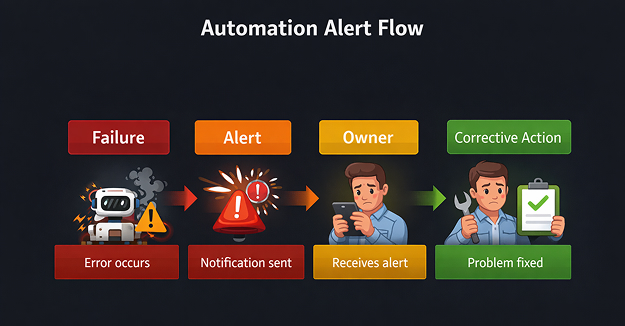
Alerts turn failures into signals that humans can act on.
Without alerts:
-
Failed leads go unnoticed
-
CRM syncs break silently
-
Automation decays unnoticed
Alert Only on Actionable Events
Good alerts include:
-
Workflow execution failed
-
Partial execution completed
-
Retry limit exceeded
-
API rate-limit or authentication errors
Do not alert on every run. That creates alert fatigue.
Every alert must have:
-
A clear owner
-
A defined response
-
An escalation path
Alerts without ownership are noise.
Recovery: What Happens After Failure
Most workflows fail like this:
Error → stop → forgotten
That is not acceptable for production automation.
Recovery Patterns That Actually Work
Controlled retries
Retry only safe steps. Add delays. Stop after defined attempts.
Manual fallback
Store failed data, notify the owner, and allow replay after fixing the issue.
This is critical in Lead Automation, where lost data equals lost revenue.
Workflow replay
You must be able to re-run failed executions without duplicating downstream actions.
If you cannot replay a failure, you do not control your automation.
Metrics You Must Monitor
Ignore vanity metrics. Track these:
-
Executions started
-
Executions completed
-
Executions failed
-
Average execution time
-
Retry count
If started executions do not equal completed executions, data is leaking.
This applies to every Workflow Automation system, not just leads.
Common Monitoring Blind Spots
Partial failures
Some steps succeed, others fail. The workflow appears “successful.”
Rate limits
APIs return errors that automation tools queue or drop silently.
This is common across complex Integrations.
No ownership
If nobody checks alerts, monitoring does not exist.
Every workflow needs one accountable owner.
Tools Do Not Create Reliability
Automation tools execute instructions.
They do not design reliable systems.
Monitoring quality comes from architecture, ownership, and recovery design — not the platform.
For execution-layer comparisons, see our Automation Tools guide.
Workflow Automation Monitoring Checklist
Before calling any workflow “live”:
-
Logs enabled for every step
-
Failure alerts configured
-
Retry rules defined
-
Manual recovery path exists
-
Owner assigned
-
Monthly audit scheduled
If any item is missing, do not automate.
Final Takeaway
Workflow automation is not about speed.
It is about visibility, control, and trust.
Logs show what happened.
Alerts show what matters now.
Recovery determines whether failure costs money.
Automation without monitoring is not automation — it is a liability.