Most businesses don’t fail at workflow automation because of bad tools. They fail because they automate broken processes, assign no ownership, and never monitor what happens after the automation goes live.
On paper, workflow automation looks simple:
Thank you for reading this post, don't forget to subscribe!-
- Trigger an event
-
- Run a few actions
-
- Save time
In reality, automated workflows quietly break, misroute data, fail without alerts, and create operational blind spots that teams don’t notice until revenue, leads, or customers are already lost.
This guide explains what workflow automation really is, where it fails in real businesses, and how to design workflows that actually survive real-world usage — not demo environments.
What Is Workflow Automation
Workflow automation is the process of designing systems that move tasks, data, or decisions between people and software without manual intervention, based on predefined rules and conditions.
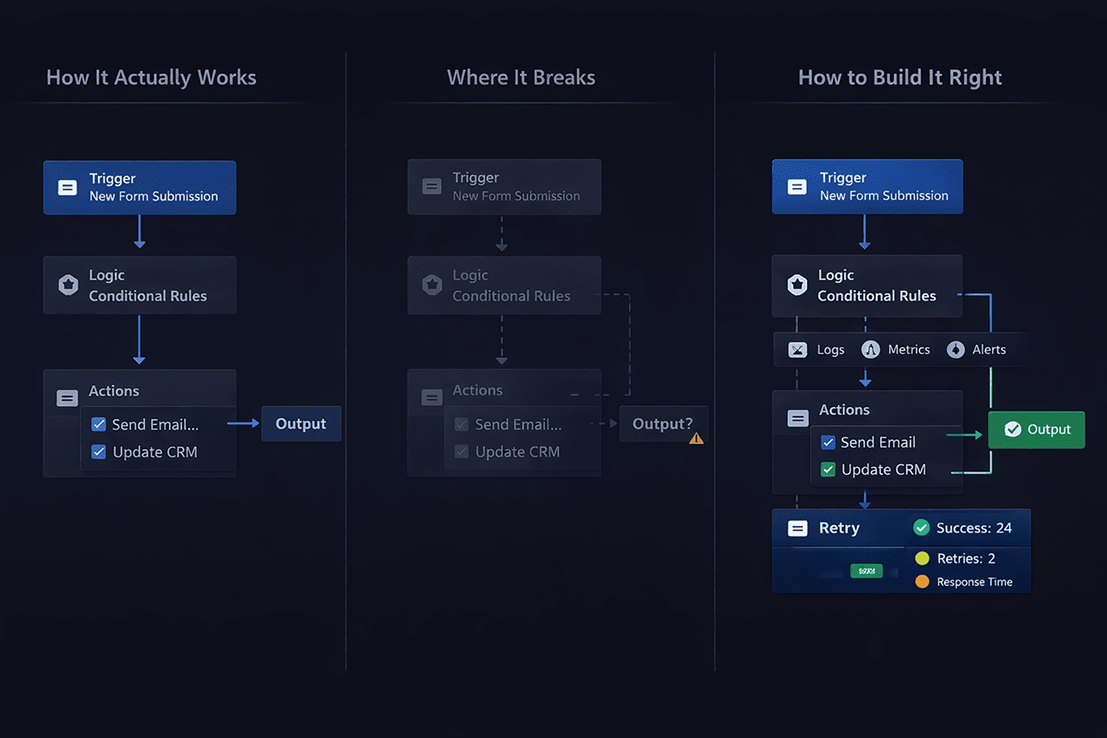
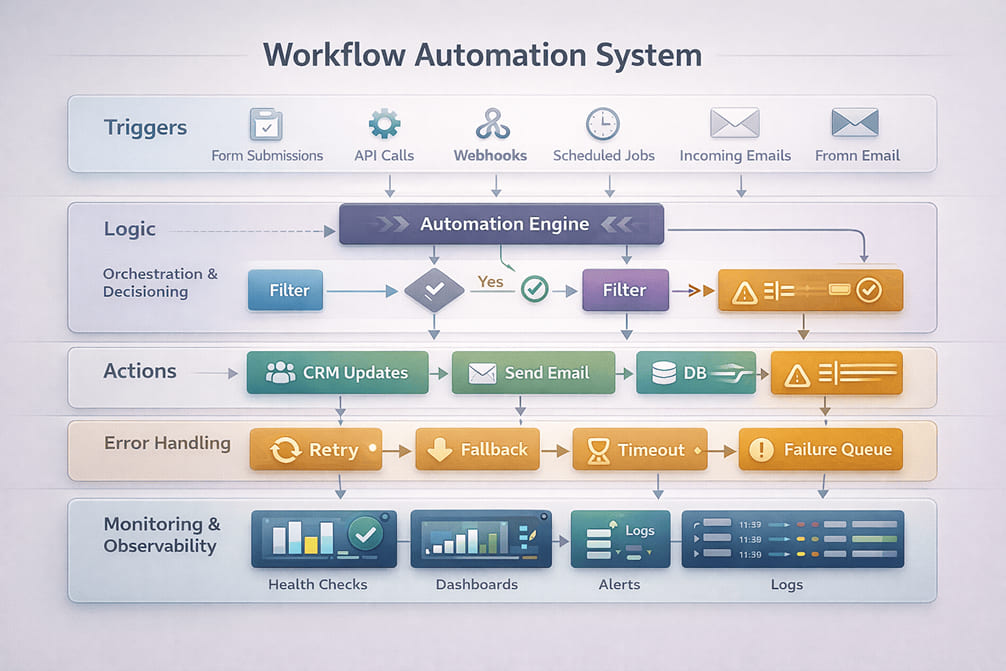
A real workflow always includes:
-
- A trigger (the event that starts the process)
-
- Logic (conditions, branches, and validations)
-
- Actions (API calls, updates, or notifications)
-
- Handoffs (system-to-system or system-to-human)
-
- Failure paths (what happens when something breaks)
If your automation doesn’t define failure paths, it isn’t a workflow. It’s a fragile script.
Manual Workflows vs Automated Workflows
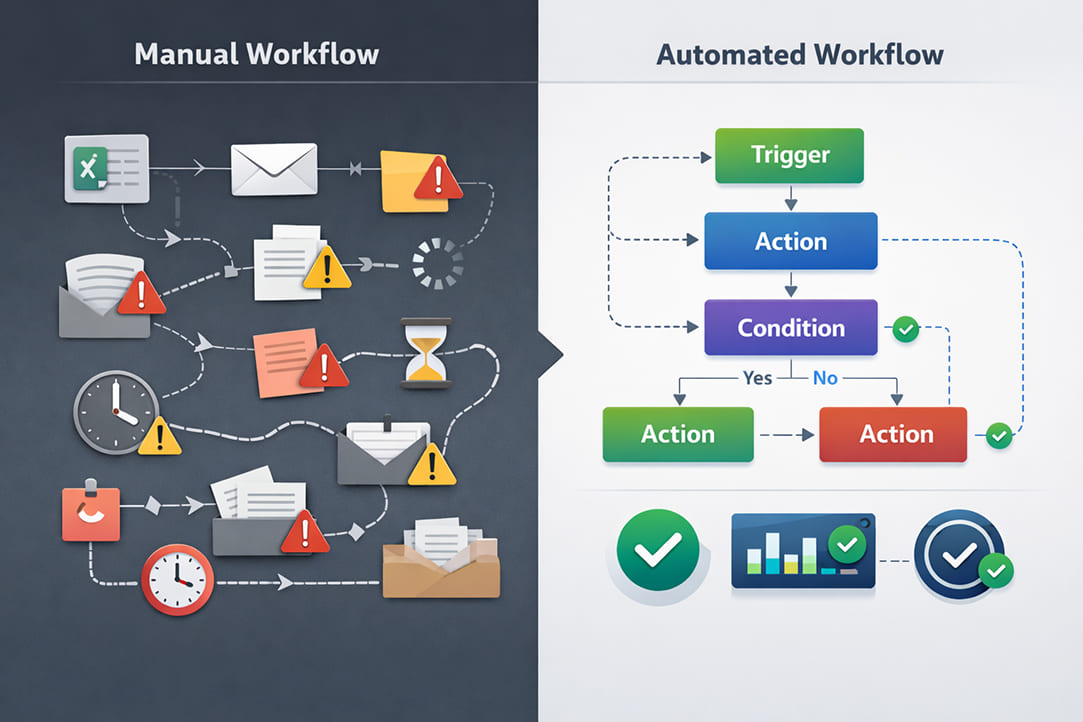
Manual workflows:
-
- Depend on people remembering steps
-
- Break during handoffs
-
- Scale poorly
-
- Hide errors
Automated workflows:
-
- Execute consistently
-
- Scale without adding headcount
-
- Surface errors when designed correctly
-
- Fail silently when designed poorly
Automation doesn’t remove responsibility. It pushes responsibility upstream into system design.
Where Workflow Automation Fails
Most automation failures fall into a few predictable categories that large sites rarely discuss honestly.
1. No Ownership
Automations run, but nobody owns them. When something breaks, no one notices, no one fixes it, and no one is accountable.
If a workflow touches revenue, leads, or customers, it must be owned like a product.
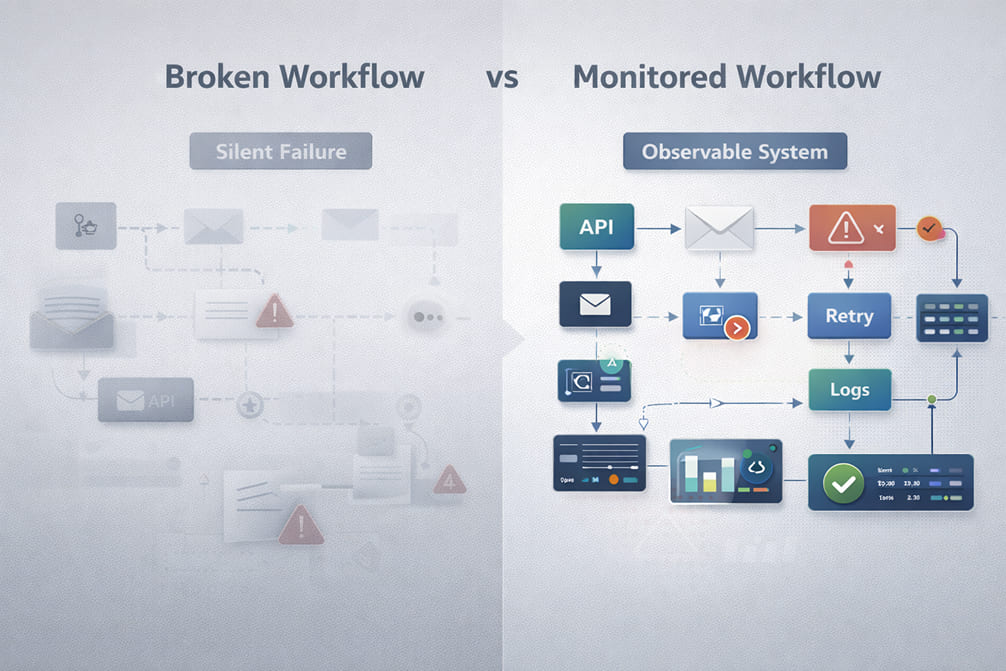
2. Silent Failures
APIs fail. Webhooks time out. Rate limits are exceeded.
Most automation tools log errors, but almost nobody checks logs daily. If your workflow doesn’t retry intelligently, notify humans, and fail safely, it becomes a hidden liability.
3. Automating Broken Processes
Automation magnifies inefficiency.
If lead qualification is unclear, CRM fields are inconsistent, or onboarding steps change constantly, automation will lock those problems into code.
Fix the process first. Automate second.
4. Tool-First Thinking
Choosing Zapier, Make, or any other platform before defining workflow logic is backwards.
Tools don’t design systems. They only execute what you design.
5. No Monitoring or Auditing
If you can’t clearly answer whether a workflow ran, completed successfully, or failed — you don’t have automation. You have hope.
Core Components of a Reliable Workflow Automation System
Forget tools for a moment. Focus on architecture.
Triggers
Good triggers are explicit, verifiable, and safe to re-run. Bad triggers fire twice or not at all.
Business Logic
This is where most workflows collapse. Logic must handle validation, branching, normalization, and edge cases. Unclear logic creates amplified chaos.
Actions
Actions should be small, reversible, logged, and retry-safe. Never bundle multiple critical actions into a single step.
Error Handling
Every workflow needs retries, fallbacks, human alerts, and defined failure handling. Ignoring this is operational negligence.
Monitoring
At minimum, workflows need execution logs, failure notifications, and periodic audits. Automation without visibility is worse than manual work.
Real-World Workflow Automation Use Cases
Lead Routing for Agencies
Goal: Route leads to the correct representative instantly.
What breaks: duplicate leads, missing fields, CRM sync delays.
What works: validating data before routing, assigning ownership, and logging every assignment. This use case fits squarely within Lead Automation, where routing logic and response time directly affect revenue.
Payment to Onboarding Automation
Goal: Start onboarding immediately after payment.
What breaks: payment succeeds but onboarding fails, partial data sync, no rollback.
What works: confirming payment state, separating financial and onboarding workflows, and maintaining manual recovery paths.
CRM Synchronization
Goal: Keep systems aligned.
What breaks: conflicting updates, API limits, gradual data drift.
What works: defining a system of record, limiting sync direction, and auditing data regularly.
Support Ticket Escalation
Goal: Escalate unresolved tickets before SLAs are breached.
What breaks: misclassification, alert fatigue, missed escalation triggers.
What works: escalating based on state rather than time alone and logging every escalation decision.
Workflow Automation Tools
Tools do not create reliability. Architecture does.
Common execution layers include platforms like Zapier, Make, n8n, and native product integrations. Each has strengths and limitations, but none compensate for weak workflow design.
Choose tools after defining workflow requirements.
To compare platforms, limitations, and real-world tradeoffs, explore our Automation Tools and Integrations guides.
Workflow Automation Best Practices
-
- Automate stable processes only
-
- Assign clear ownership
-
- Log every execution
-
- Monitor failures daily
-
- Audit workflows regularly
-
- Treat automation like production software
If you can’t maintain it, don’t automate it.
Final Takeaway
Workflow automation is not about speed. It’s about consistency, visibility, and control.
Businesses don’t lose money because they automate too slowly. They lose money because they automate without thinking.
Build workflows like systems — not shortcuts.